×
- Hello
- Login or Register
- Quick Links
- Live Chat
- Track Order
- Parts Availability
- RMA
- Help Center
- Contact Us
- Shop for
- BMW Parts
- BMW Accessories

My Garage
My Account
Cart
Genuine BMW 2500 Wiper Motor
Windshield Wiper Motor- Select Vehicle by Model
- Select Vehicle by VIN
Select Vehicle by Model
orSeries
Model
Year
Select Vehicle by VIN
For the most accurate results, select vehicle by your VIN (Vehicle Identification Number).
2 Wiper Motors found
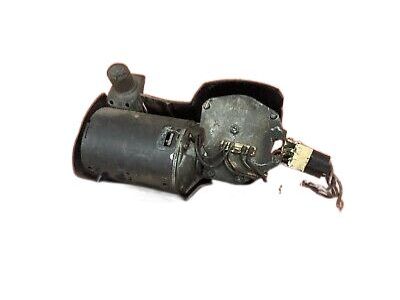
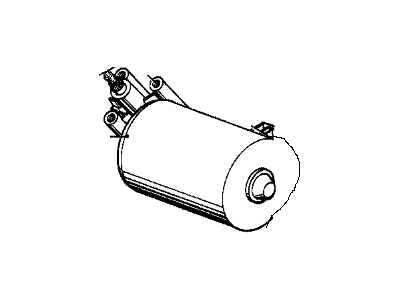
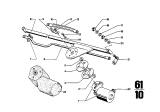
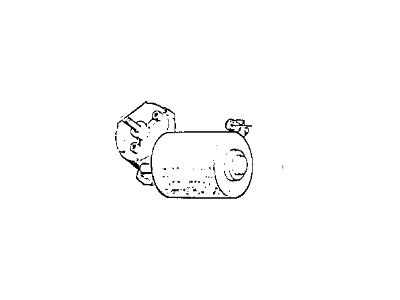
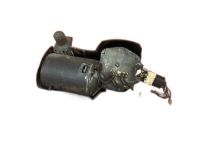
BMW 2500 Wiper Motor
BMW 2500 Wiper Motor delivers the electric force that sweeps the blades across the windshield to allow drivers to have a clear view, regardless of rain or snow. Powered by a compact DC unit housed under the cowl, the Wiper Motor converts electrical energy to rotary motion, which is converted by a simple linkage to the familiar back-and-forth motion of the arm. The driver can choose from more than one speed to suit the type of weather, light drizzle or heavy downpour. Early 2500 sedans were based on the same sturdy single-speed layout as many seventies models of the BMW. However, later 2500 models were fitted with a two-speed Wiper Motor, which provided a faster stroke for inclement conditions but preserved a slow, silent sweep for normal use. The primary difference is an upgraded internal gear set and dual-stage resistor. Both new and factory-refurbished units have been installed over the years, but whatever style is preferred, the Wiper Motor remains a direct plug-and-run component sized precisely for the windshield arc of the 2500. With minimal vibration and dependable torque, BMW owners can count on their Wiper Motor to maintain crystal clear vision on any journey.
If you are looking for OEM BMW 2500 Wiper Motor, we highly recommend to shop with us. Not only do we offer budget friendly prices, but we also provide fast delivery. In addition, we have a hassle-free return policy on all genuine BMW 2500 Wiper Motor that come backed by the manufacturer's warranty.
BMW 2500 Wiper Motor Parts Questions & Experts Answers
- Q:How to remove and refit the wiper motor and linkage while ensuring proper positioning on BMW 2500?Posted by Shikher B.A:Remove the heater unit cover plate, noting the position of the special sealing strip A between the cover plate and water drain gutter. Ensure the wiper linkage is in the parked position; if the motor has failed with the wipers in any other position, move to the parked position by turning the motor crank. Detach the crank by removing the nut and release the wiper motor from its mountings by removing three screws. Pull off the multiple plug and remove the wiper by tilting downwards. If the motor is inoperative, check the current supply by reconnecting the multiple plug to the motor, switching on the ignition and wiper switches, and using a test lamp or voltmeter at terminal 53 (black/yellow and green cables) or 53b (black/white and red cables) to check for current. If the cables are live, the wiper motor is internally defective. Refit the wiper motor in reverse order of removal, ensuring the motor is in the parked position by temporarily connecting the multiple plug, switching on the ignition and wiper switches, allowing the motor to run for a few seconds, and then switching off at the wiper switch, which will stop the motor automatically in the parked position. For wiper linkage removal, first remove the heater unit cover plate. Remove the wiper arms by pulling the bosses from the splined shafts; if difficult, carefully lever the arms from the shafts using a large screwdriver. Remove the nuts and washers securing the wiper arm shafts, push the shafts through the mounting holes, and detach the linkage assembly complete. Pull the multiple plug from the plug board and remove it with the rubber grommet. If necessary, press off the connecting link and drive rod and unscrew the wiper pivot bearings. Refitting is a reversal of the removal procedure, ensuring the motor and linkage are in the parked position. Push the wiper arms onto the shafts so that the blades are approximately 1 to 2cm (0.4 to 0.8in) from the edge of the screen in the parked position.Answered by BMW Parts Specialist Javier / Jan 11, 2022